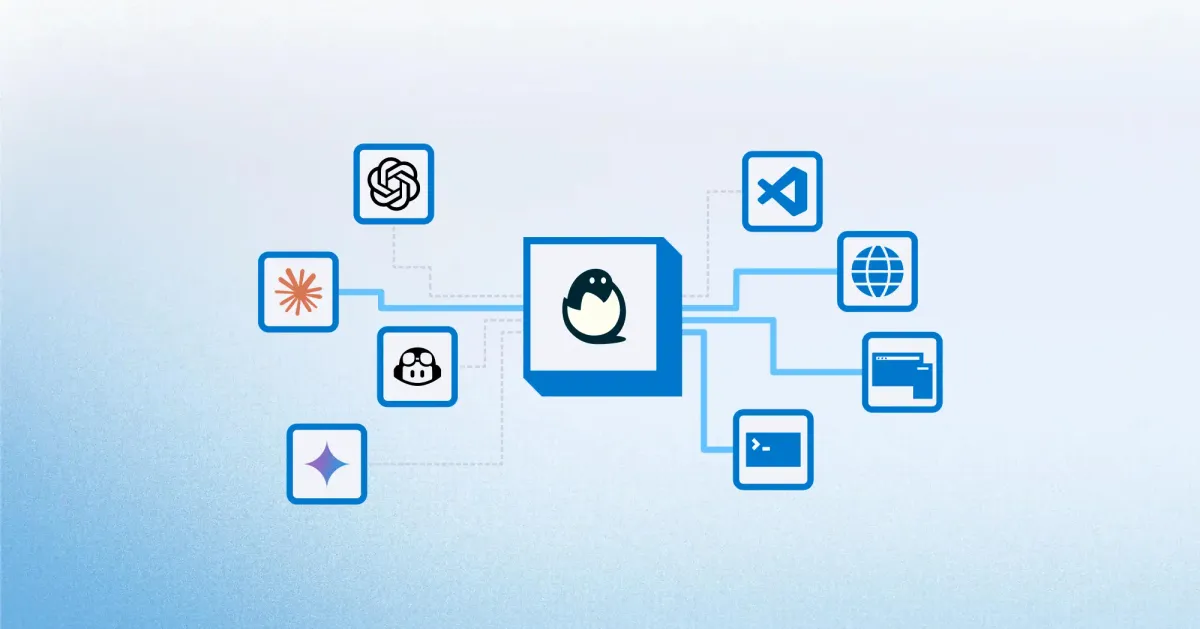
If you're building AI agents, code execution platforms, or anything that runs user-generated code, you've faced the fundamental problem: how do you run untrusted code without compromising your entire system?
Deno Sandbox offers an answer. It's a cloud-based SDK for creating isolated Linux microVMs on Deno Deploy—each with its own filesystem, network stack, and process tree. Spin one up in under 200ms, run your code, tear it down.
Let's break down what this means, how it works, and when it makes sense.
The Problem with Running Untrusted Code
When your system executes code you didn't write, you're taking on risk:
- AI-generated code — LLMs can produce code that does unexpected things
- User scripts — Plugins, extensions, webhooks, custom automations
- Third-party integrations — Code from external sources you can't fully audit
Run it directly on your server, and a malicious script can access environment variables, read files, make network requests to internal services, or worse.
Traditional solutions have trade-offs:
| Approach | Isolation | Startup Time | Overhead |
|---|---|---|---|
| Same process | None | Instant | Minimal |
| Containers | Shared kernel | Seconds | Moderate |
| Traditional VMs | Full | Minutes | Heavy |
| MicroVMs | Full | < 200ms | Light |
Containers share the host kernel—escape vulnerabilities exist and are regularly discovered. Traditional VMs provide strong isolation but take too long to start for on-demand workloads.
MicroVMs hit the sweet spot: VM-level isolation with container-like startup times.
What is Deno Sandbox?
Deno Sandbox is a managed microVM service built on Firecracker—the same technology that powers AWS Lambda. Each sandbox is a lightweight Linux virtual machine with:
- Its own kernel — Complete isolation from other workloads
- Dedicated filesystem — 10GB default storage, persists across requests
- Isolated network stack — Control exactly what the sandbox can connect to
- Separate process tree — No visibility into host or other sandboxes
You control sandboxes programmatically via an SDK that supports JavaScript, TypeScript, and Python.
import { Sandbox } from "@anthropic/sandbox";

// Create a new isolated sandbox
const sandbox = await Sandbox.create({
  memory: 1024, // 1GB RAM
  cpus: 2,
});

// Execute untrusted code safely
const result = await sandbox.exec("python", ["-c", userProvidedCode]);

// Tear down when done
await sandbox.destroy();
import { Sandbox } from "@anthropic/sandbox";
// Create a new isolated sandbox
const sandbox = await Sandbox.create({
memory: 1024, // 1GB RAM
cpus: 2,
});
// Execute untrusted code safely
const result = await sandbox.exec("python", ["-c", userProvidedCode]);
// Tear down when done
await sandbox.destroy();The sandbox spins up in under 200ms—fast enough to create on-demand for each request, eliminating the need to keep warm instances running.
Key Features
Network Controls
Specify exactly which domains your sandbox can communicate with:
const sandbox = await Sandbox.create({
  allowedHosts: ["api.openai.com", "github.com"],
});
const sandbox = await Sandbox.create({
allowedHosts: ["api.openai.com", "github.com"],
});Any attempt to connect to non-whitelisted hosts is blocked at the network layer. This prevents data exfiltration, even if the code running inside is actively malicious.
Secure Secret Management
Secrets are never exposed inside the sandbox directly. Instead, Deno Sandbox uses secure placeholder tokens that are injected only at the network layer when making outbound requests.
The code inside the sandbox never sees your actual API keys—it only sees placeholder values that get swapped transparently.
Multiple Access Methods
Beyond programmatic execution, sandboxes support:
- HTTP exposure — Expose a port and get a public URL
- SSH access — Connect directly for debugging
- VS Code integration — Full IDE access to the sandbox filesystem
This makes sandboxes useful for more than just code execution—they can serve as ephemeral development environments.
Resource Configuration
Default sandboxes come with reasonable defaults:
- 2 vCPUs
- 1.2 GiB memory
- 10GB disk storage
You can adjust these based on workload requirements, paying only for what you use.
Building AI agents or code execution features? We help teams architect secure infrastructure for untrusted workloads—from sandbox selection to production deployment.
Why MicroVMs Beat Containers for Untrusted Code
The security difference between containers and microVMs is fundamental:
Containers share the host kernel. Every container on a machine relies on the same kernel for syscalls, scheduling, and memory management. Container escape vulnerabilities are discovered regularly—in 2024 alone, multiple CVEs allowed breaking out of container isolation.
MicroVMs run their own kernel. Each sandbox is a true virtual machine with its own kernel instance. To escape, an attacker would need to exploit both the guest kernel AND the hypervisor (Firecracker)—a dramatically smaller attack surface.
Firecracker was purpose-built for this use case. It intentionally excludes non-essential devices, reducing the attack surface to the absolute minimum. Memory overhead is under 5 MiB per microVM.
This is why AWS chose Firecracker for Lambda. It's why Deno built Sandbox on it. When running code you don't control, VM-level isolation isn't paranoia—it's the baseline.
Use Cases
AI Agent Code Execution
AI agents increasingly need to write and execute code. Whether it's data analysis, file manipulation, or API integrations, the code comes from an LLM—not a human who reviewed it.
Deno Sandbox provides the isolation these workflows require:
// AI agent generates code
const generatedCode = await llm.generate("Write Python to analyze this CSV");

// Execute in isolated sandbox
const sandbox = await Sandbox.create();
await sandbox.writeFile("/data/input.csv", csvContent);
const result = await sandbox.exec("python", ["-c", generatedCode]);

// Get results safely
const output = await sandbox.readFile("/data/output.json");
await sandbox.destroy();
// AI agent generates code
const generatedCode = await llm.generate("Write Python to analyze this CSV");
// Execute in isolated sandbox
const sandbox = await Sandbox.create();
await sandbox.writeFile("/data/input.csv", csvContent);
const result = await sandbox.exec("python", ["-c", generatedCode]);
// Get results safely
const output = await sandbox.readFile("/data/output.json");
await sandbox.destroy();The LLM can't accidentally (or intentionally) access your production database, environment secrets, or internal APIs.
Online Code Editors and REPLs
Platforms that let users write and run code—educational tools, coding challenges, interactive documentation—need isolation by default.
Each user session gets its own sandbox. Code runs safely. One user's malicious script can't affect others.
Plugin and Extension Systems
If your platform supports user-created plugins or automations, you're running untrusted code. Sandboxes let users extend your platform without compromising it.
CI/CD and Build Systems
Build pipelines execute arbitrary commands from repositories you don't fully control. Isolating builds prevents supply chain attacks from escaping into your infrastructure.
Pricing
Deno Sandbox uses usage-based pricing:
| Resource | Price |
|---|---|
| CPU | $0.05 / CPU-hour |
| Memory | $0.016 / GiB-hour |
| Storage | $0.20 / GiB-month |
For a typical workload—spin up a sandbox, run code for 30 seconds, tear down—you're looking at fractions of a cent per execution.
The economics work well for on-demand execution patterns where sandboxes are short-lived. For long-running workloads, dedicated infrastructure may be more cost-effective.
Paid plans include spend limits, so unexpected traffic spikes don't become surprise bills.
Alternatives to Consider
Deno Sandbox isn't the only option for secure code execution:
E2B — Open-source sandbox platform using Firecracker. Good community, strong AI focus.
Northflank — Offers microVM isolation via Kata Containers and gVisor. More flexibility in container images, supports BYOC deployment.
V8 Isolates (Cloudflare Workers, Deno Deploy) — Extremely fast startup, but shared-process isolation. Not suitable for all threat models or Python workloads.
Self-hosted Firecracker — Maximum control, but significant operational overhead. You're running your own hypervisor infrastructure.
The right choice depends on your security requirements, language needs, and operational capacity.
When to Use Deno Sandbox
Good fit:
- AI agents executing generated code
- User-submitted code execution
- Plugin/extension systems
- Short-lived, on-demand workloads
- When you need network-level control
Consider alternatives:
- Long-running processes (dedicated VMs may be cheaper)
- Simple JavaScript-only isolation (V8 isolates are faster)
- Self-hosted requirements (look at raw Firecracker)
- Heavy resource workloads (specialized compute may be better)
Security Certifications
Deno Deploy (the underlying platform) maintains SOC2 and ISO27001 certifications. If compliance matters for your use case, the infrastructure has been audited.
Need help securing your AI infrastructure? Running untrusted code safely is hard. We help teams design and implement secure execution environments—whether that's Deno Sandbox, self-hosted microVMs, or hybrid approaches.